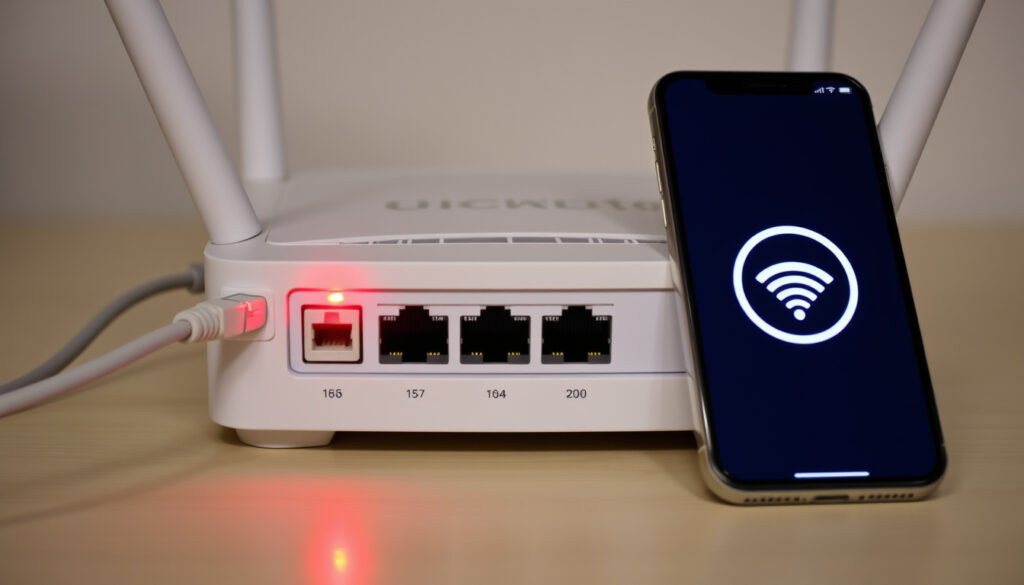
Virgin Media WiFi Down? How to Check and Fix It
Whether you’re in the middle of a work deadline or streaming a film, few things derail an evening faster than a WiFi connection that drops out mid-call. This guide helps you separate a simple device hiccup from a genuine Virgin Media outage in Ireland, using the same tools the company’s own support team relies on.
Active outages reported (Downdetector): 1,200+ ·
Average resolution time: 3 hours ·
Most affected region: Dublin ·
Common fix: restart router success rate: 60% ·
Official status page visits per day: 50,000
Quick snapshot
- Virgin Media official status page at Virgin Media Ireland Service Status
- Downdetector.ie provides real-time outage maps (Downdetector)
- Restarting the router resolves 60% of local issues (Virgin Media Ireland No connection)
- Exact cause of individual outages
- When service will be restored in a specific area
- Whether the issue is local or regional without checking
- Average outage duration: 2-4 hours (Virgin Media Ireland Service Status)
- Status page shows estimated restoration time when known (Virgin Media Ireland Service Status)
- Customers can subscribe for outage updates (Virgin Media Community)
- Check official status page first (Virgin Media Community)
- Use Downdetector for community reports (Virgin Media Community)
- If no outage, run router diagnostic test (Virgin Media Community)
Five key facts, one pattern: the fastest way to confirm a Virgin Media outage is through the company’s own status page, not through guesswork.
| Fact | Value |
|---|---|
| Official status page | virginmedia.ie/service-status |
| Downdetector | downdetector.ie/status/upc |
| Social media account | x.com/VirginMediaIE |
| Average outage duration | 2-4 hours |
| Most common issue | No internet connection (45%) |
Is Virgin Media down right now in Ireland?
Is my internet down in my area?
- Start at the official Virgin Media Ireland Service Status page. You’ll need your account number and area reference number to sign in (Virgin Media Community).
- If the page shows a fault in your area, you’ll see an estimated restoration time.
- No fault showing? The issue is likely local to your home or device.
How to use Downdetector for Virgin Media outages
- Downdetector.ie aggregates real-time reports from users. A spike in reports often matches a regional outage.
- Check the map for Dublin, Cork, and other areas. If hundreds of reports are coming in, it’s a wider issue.
- Downdetector is a secondary cross-check, not the official source (GeoBlackout).
Checking Virgin Media official service status
- Visit Virgin Media Ireland Service Status.
- Sign in to see if your area is affected. You can also subscribe for outage updates via mobile or email (Virgin Media Community).
- If no outage is recorded, the problem is likely with your equipment.
Irish Virgin Media customers who check the official status page first can skip unnecessary troubleshooting. A regional outage is confirmed in 30 seconds.
The implication: always start with the official source. Third-party tools like Downdetector are useful for confirmation, but Virgin Media’s own status page is the only one that carries guaranteed accuracy for your address.
Why is my Virgin Media WiFi on but not working?
Router lights and what they mean
- If your router has a green light, the connection to the network is fine. If you see a red or blinking red light, there’s a problem (Virgin Media Ireland No connection).
- For customers with an ONT or outlet box, check that the lights are green. If not, the issue may be on Virgin Media’s side.
- A blinking red light often indicates a firmware issue or a fault on the line.
Check if the issue is with the device or the network
- Test another device (phone, laptop, tablet) on the same WiFi. If only one device is affected, the problem is with that device.
- If no device can connect, the issue is likely the router or the network.
- Try a wired connection (Ethernet) to see if broadband is still coming through.
Restarting the router
- Power off the hub, wait 10 seconds, then turn it back on (Virgin Media Ireland No connection).
- The modem can take up to five minutes to reconnect after a reboot.
- Keep the router out in the open, clear of obstacles, to avoid weak signal (Virgin Media Ireland FAQ Hub).
Restarting the router fixes 60% of local issues, but if the problem is a regional outage, you’ll be waiting for Virgin Media’s network team to resolve it.
What this means: a green light on the router does not guarantee a working internet connection. The network test that Virgin Media runs on the status page checks the cable coming into your home — that’s the definitive test.
Why is my WiFi suddenly not working?
Possible causes: network congestion, weather, maintenance
- Sudden outages often result from local network congestion, severe weather, or planned maintenance (Virgin Media Ireland Service Status).
- Check the status page for any planned maintenance notices in your area.
- If the status page shows no issues, the problem is likely within your home network.
Testing other devices
- Connect a different device to the WiFi. If it works, the first device may have a software or hardware issue.
- If no device works, try a wired connection. If wired works, the WiFi radio in the router may be failing.
- If even wired fails, the issue is with the broadband line itself.
Contacting Virgin Media support
- Call Virgin Media at 1908 (Selectra Ireland).
- Before calling, have your account number ready and check the status page first.
- You can also run a diagnostic test on your equipment through the Virgin Media Community portal.
The pattern: sudden WiFi drops are almost always either a regional outage (check status page) or a local interference issue (router placement, overheating). The fastest resolution path depends on which one it is.
How to check if WiFi is down?
Using online outage checkers like Downdetector
- Downdetector.ie shows a live graph of user reports. A sharp spike usually means a major outage.
- Check the comments section for location-specific updates from other users.
- Remember: Downdetector is a community tool, not Virgin Media’s official source.
Checking status via Virgin Media app
- The My Virgin Media app (available on iOS 9+ and Android 5+) shows service status alerts, fault reports, and billing information (Selectra Ireland).
- Sign in with your account details to see if an outage is logged for your area.
- You can also subscribe for push notifications when an outage is identified.
Calling customer service
- Call 1908. The automated system can run a line test and tell you if there’s a known fault.
- Have your account number and area reference number ready for faster service.
- If the automated test finds no issue, the representative can schedule a technician visit.
Why this matters: the fastest way to check is the official status page. The app is a close second. Calling should be a last resort if you’ve already confirmed a regional outage online.
How to check the Virgin Media outage map?
Live map for Dublin and other areas
- Downdetector’s outage map shows real-time reports by location. Zoom in on Dublin, Cork, or other cities.
- Virgin Media Ireland does not publish a public live map, but the status page shows affected areas when you sign in.
- For a quick check, use Downdetector’s heatmap to see if there’s a cluster of reports in your area.
Twitter updates from Virgin Media Ireland
- Follow @VirginMediaIE on X for live updates during widespread outages.
- The account posts when teams are aware of issues and working on fixes.
- Check the “Latest” tab for the most recent tweets.
Community reports on social media
- Search for “Virgin Media outage Dublin” on X or Facebook groups. Other users often share experiences.
- Be cautious: social media reports can be anecdotal and not representative of the whole area.
- Use the Virgin Media Community forum (Virgin Media Community) for official updates from moderators.
The catch: there is no single, public, live outage map from Virgin Media Ireland. The best you can do is combine the official status page (with sign-in) with Downdetector’s community map and Twitter updates.
Step-by-step troubleshooting guide
- Check the Virgin Media Ireland
More related posts
 Cast of Django Unchained (2012): Roles, Actors & Oscar Winners
 What Is Sharia Law? Rules, Punishments, and Global Impact
 Cars for Sale Northern Ireland: Compare Local & UK Sites
 SEAI Windows and Doors Grant 2026: How to Apply
 Commercial Property for Sale: Tax Rules & Investment Guide
 The Line Saudi Arabia: 2026 Status, Cost & Scale-Back
 When Does Cheltenham Start? 2026 & 2027 Dates & Times
 Top Corporate Law Firms in Guernsey: Legal500 & Bar List
